Z-Wave Plus
Mesh platform for compatible Z-Wave networks and controllers.


SmartAPEX wireless room control APX-TZA · APX-TZD
One shared faceplate platform, on Z-Wave Plus. Crystal glass or Classic metal on top — the same fan-coil, valve and temperature control underneath, a different finish for the room.
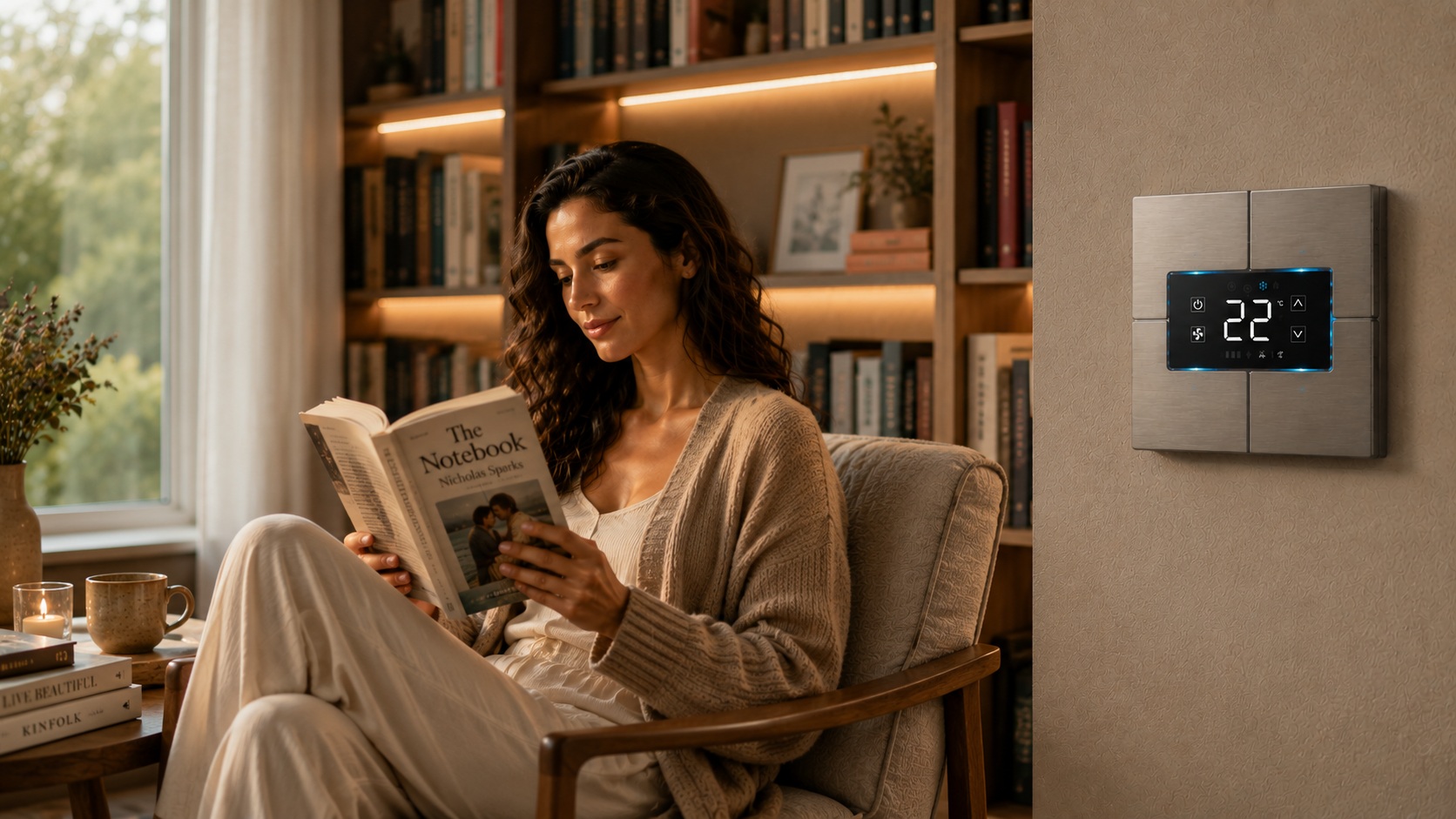 Classic metal · installed, digital display live
One electronic platform
Every thermostat is built from two parts. The back-unit is the part that goes into the wall box and decides how it’s powered, wired and which loads it drives. The faceplate is what the room sees — and it doesn’t change the control logic underneath.
Faceplate gallery
Crystal glass and Classic metal on the shared 86 × 86 mm back-unit platform. Renders below are from the product manual pending real photography — finish/colour options are not yet confirmed for this line.
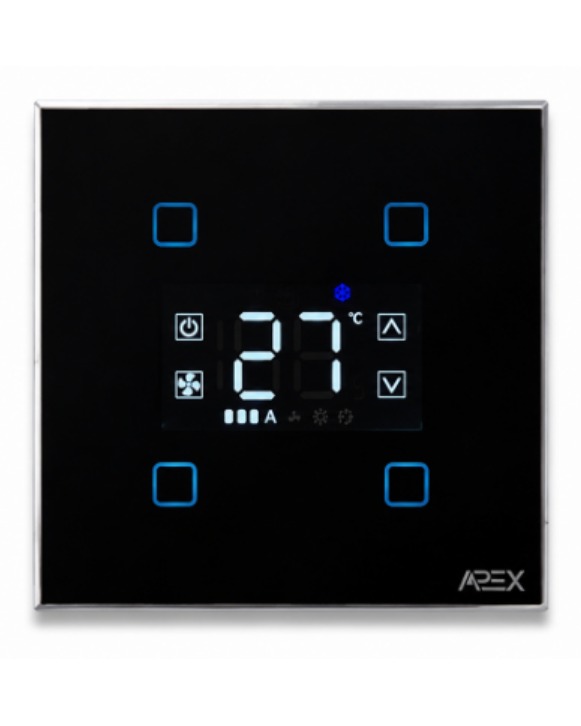
Glass faceplate, four fixed touch positions with interchangeable icons.
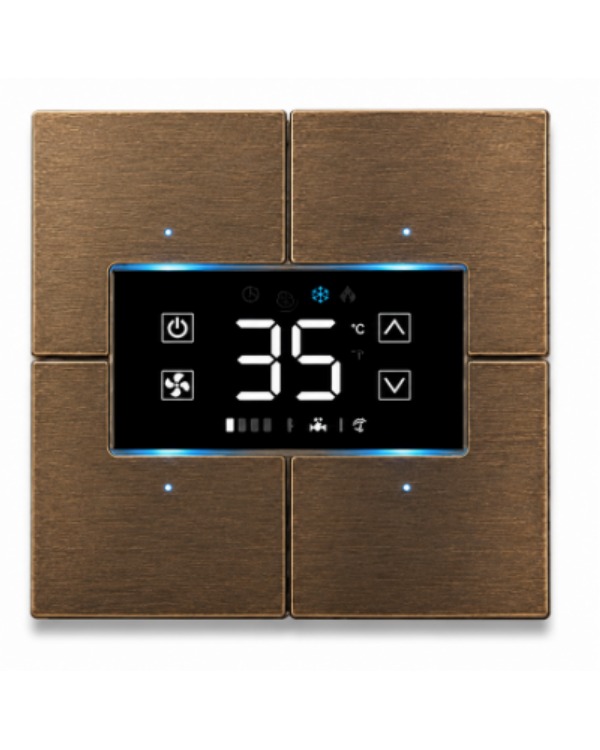
Metal faceplate, fixed icon layout.
Thermostat intelligence
Regardless of finish or back-unit, every SmartAPEX Z-Wave thermostat shares the same six capabilities.
Mesh platform for compatible Z-Wave networks and controllers.
Onboard sensing by default; Parameter 23 switches the active reading to an external NTC 10K probe.
Updated over the air through a compatible Z-Wave controller — no faceplate removal required.
Heat only, cool only, or heat and cool — set by configuration, alongside an adjustable Delta-T demand threshold.
Standard models take an external NTC 10K probe; -IR models take an external IR probe instead — never both on the same unit.
Crystal and Classic faceplates use the same mechanical platform as the SmartAPEX keypad line.
 Evening
 Night Mode
 Cooking
 Curtains
Configurable icon presentation
Personalization at your fingertips: the four Crystal icon positions are interchangeable, with alternative icons available via the SmartAPEX icon-selection sheet before ordering.
Model-specific, not interchangeable: standard models take an external NTC 10K probe; models ending in -IR take an external IR probe instead — connect only the accessory supported by the purchased model.


Crystal’s four touch positions are fixed — only the icon inserts and diffusers at each position are interchangeable. Icon selection changes the interface, not the electrical rating.
Back-unit specifications
Select the back-unit from the project’s electrical requirements first, then specify the Crystal or Classic faceplate on top. AC and low-voltage versions drive different loads and have different terminals.
Mains-powered installations driving a 3-speed fan-coil motor. TZA switches a 2-wire valve actuator; TZA010 drives a continuous 0–10 VDC valve/BMS input instead.
12–24 VAC/DC installations using four relay contacts with a shared common — fan-coil speeds, valve, lights or curtain loads.
Electrical installation and load selection must follow the exact product manual and be completed by a qualified professional. Full wiring diagrams for both versions are in the manual, not reproduced here.
Installation
Isolate power before wiring, servicing or changing the back-unit or faceplate. Follow the exact AC or low-voltage wiring page in the manual.
Glass faceplate kit
Product overview
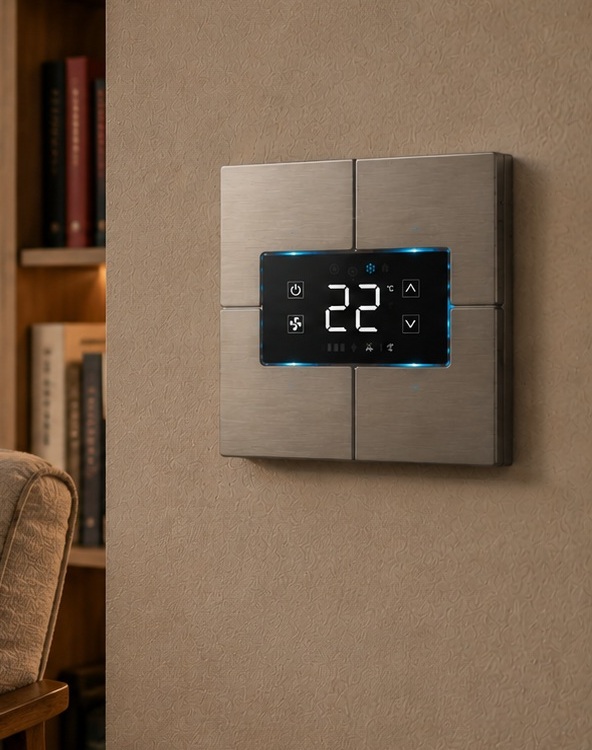
Product manual
The manual covers Crystal and Classic faceplate preparation, AC and low-voltage back-unit wiring for fan-coil and valve applications, Z-Wave network commissioning, configuration parameters and technical limits — the authoritative source for anything electrical.
We use only the cookies this site needs to work. With your agreement we also load Google reCAPTCHA, which protects our forms from spam and sets its own cookies. Read the cookie policy.